A keyboard wedge application for Nordic ID UHF readers. With the application, it’s possible to read tags and feed the tag data into an active input field.
https://www.nordicid.com/support/devices-downloads/nordic-id-stix/
Basic Instructions.
Connection
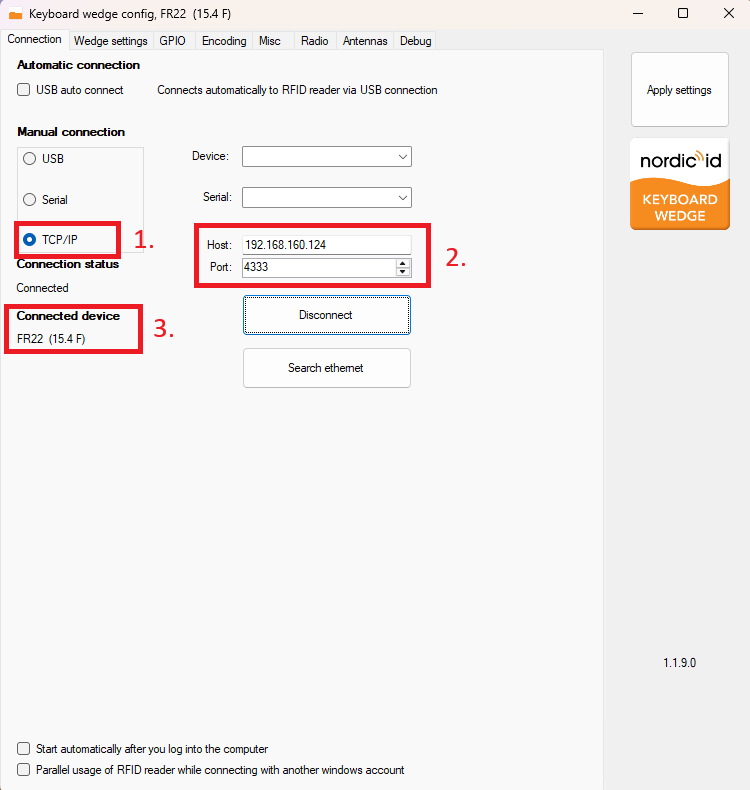
1. Select TCP/IP connection
2.
• Enter readers IP address in to the host field
• Enter correct port. Default for fixed reader is 4333 and for handheld 6734
• Click connect
• Click connect
3. Connected device appears.
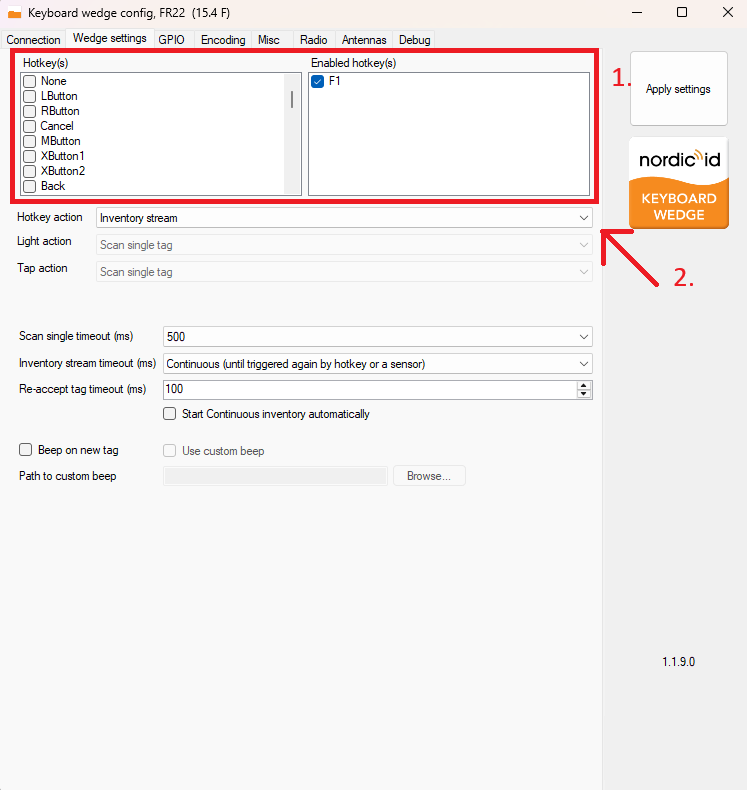
Wedge settings
1. Select hotkey. This button will start RFID reading.
2. Select hotkey action.
• Inventory stream
• Scan single tag
• Do nothing
• Do nothing
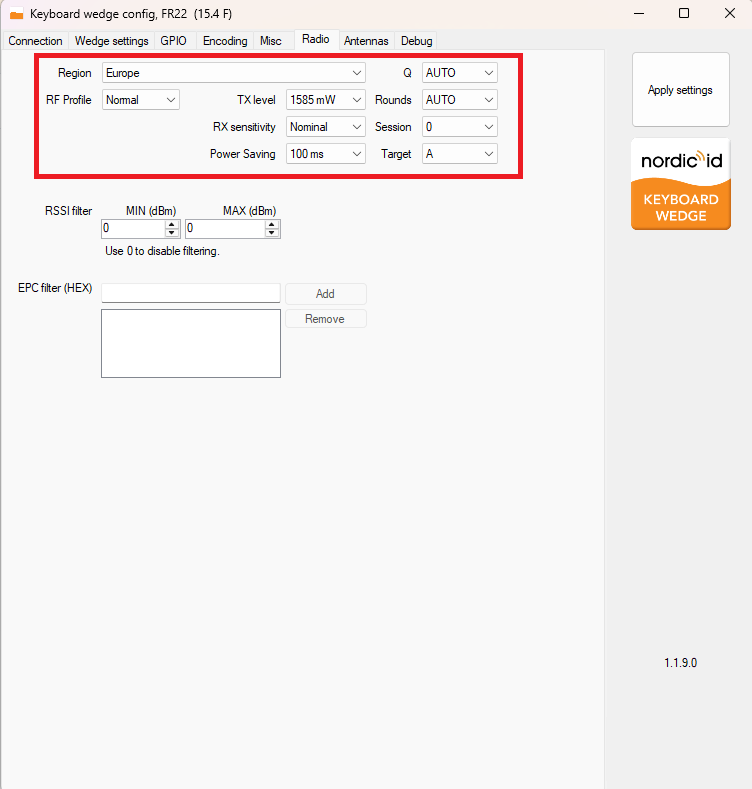
Radio
Used for changing reader settings.
Check readers user guide for exact function